
Download Emulatorx – Game Emulator, Classic Games, Retro Gaming, Super Nintendo, PlayStation 2, Megadrive, Gameboy Advance, Nintendo DS, Wii, PSP, Xbox, Graphics Enhancement, Nostalgic Gaming
Overview
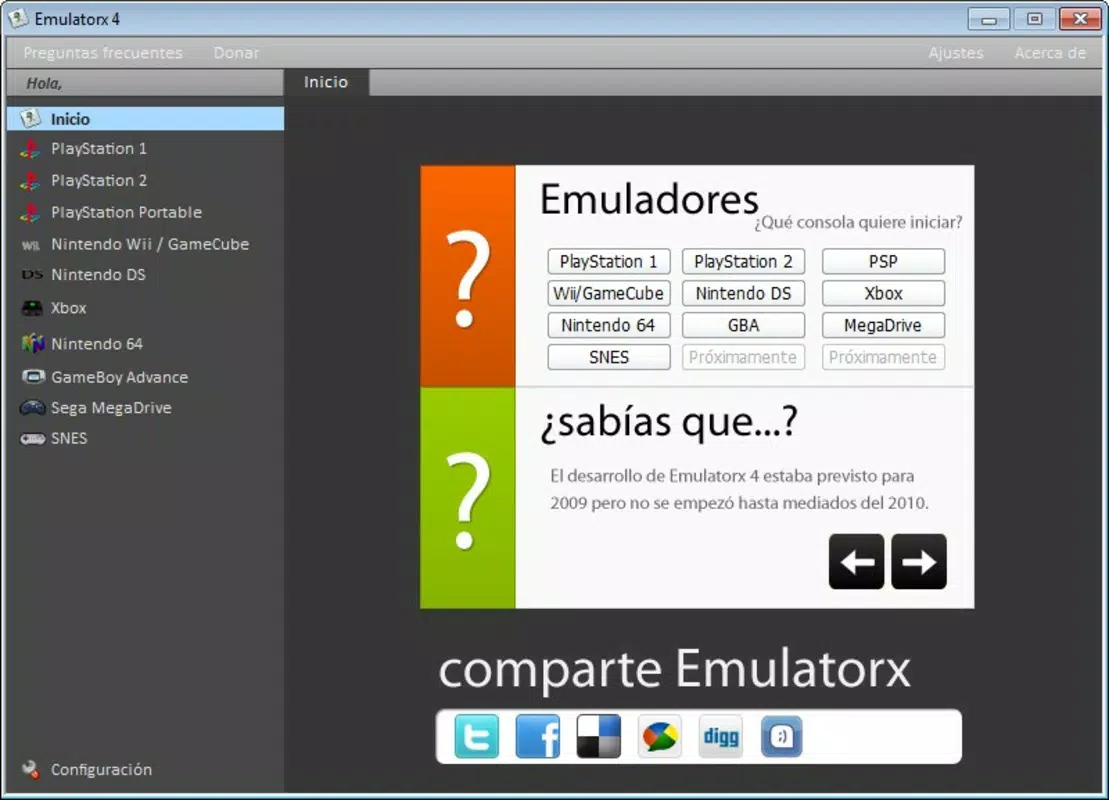
Emulatorx is a multi-console emulator designed to bring retro gaming experiences to modern devices. The application enables users to play titles from a wide range of video game consoles spanning the last fifteen years, including Super Nintendo, Megadrive, Gameboy Advance, Nintendo DS, PlayStation 2, Wii, PSP, and Xbox. It serves as a digital archive for classic games, allowing enthusiasts to revisit beloved titles from different generations. The app’s core purpose is to preserve gaming history while offering enhanced accessibility through modern hardware. Target users include nostalgic gamers, retro gaming collectors, and players interested in exploring older titles without original hardware.
Although the developer did not provide additional technical details, Emulatorx has been available since 2014, indicating a long-standing presence in the emulation community. Its continued relevance suggests a stable and functional core. The app supports multiple platforms, including Windows, macOS, and Linux, making it accessible to a broad audience. Real-world use cases include reliving childhood favorites, testing game mechanics from past eras, and enjoying enhanced visuals on current systems. Emulatorx plays a meaningful role in the broader entertainment ecosystem by bridging the gap between legacy software and modern computing environments.
Key Features & Functionality
- Wide Console Support: Emulatorx integrates emulators for multiple systems, including Super Nintendo, Megadrive, Gameboy Advance, Nintendo DS, PlayStation 2, Wii, PSP, and Xbox. This breadth allows users to access a diverse library of games across different eras and genres, from 2D platformers to early 3D adventures.
- Graphics Enhancement: For compatible systems, particularly PlayStation 2 and Wii, the app offers enhanced visual output. This feature improves resolution, texture clarity, and rendering quality beyond the original hardware, providing a modernized gaming experience while preserving gameplay integrity.
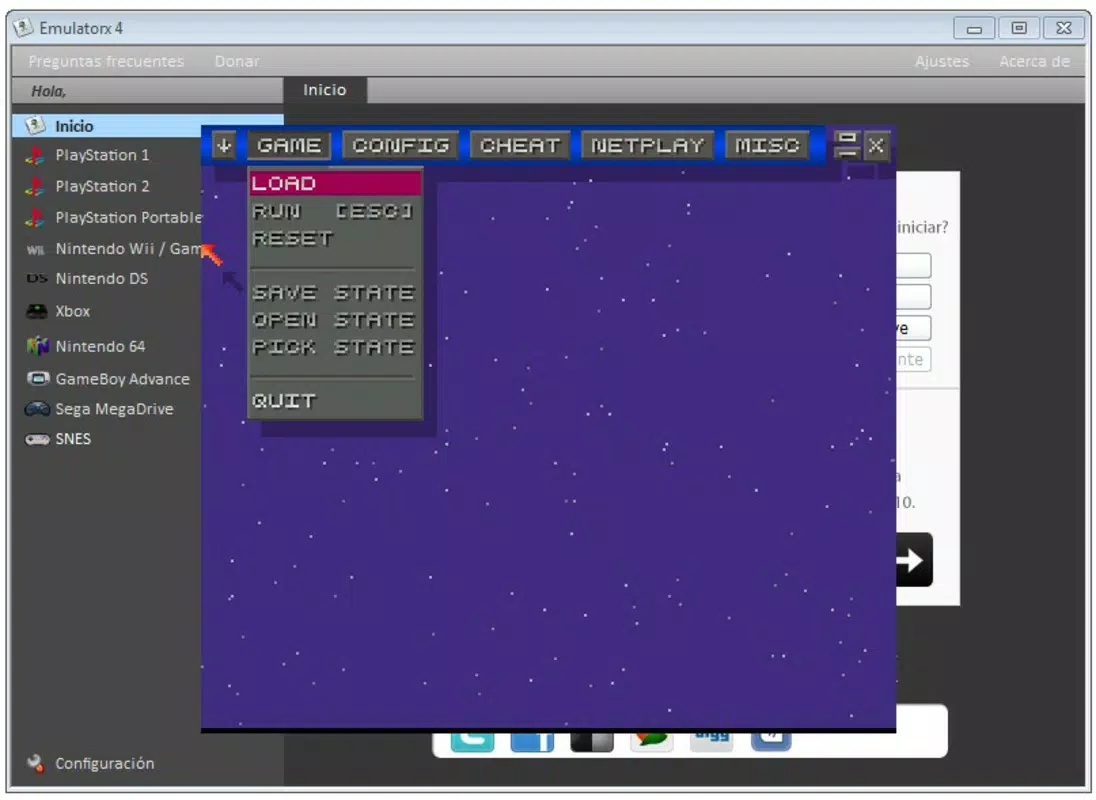
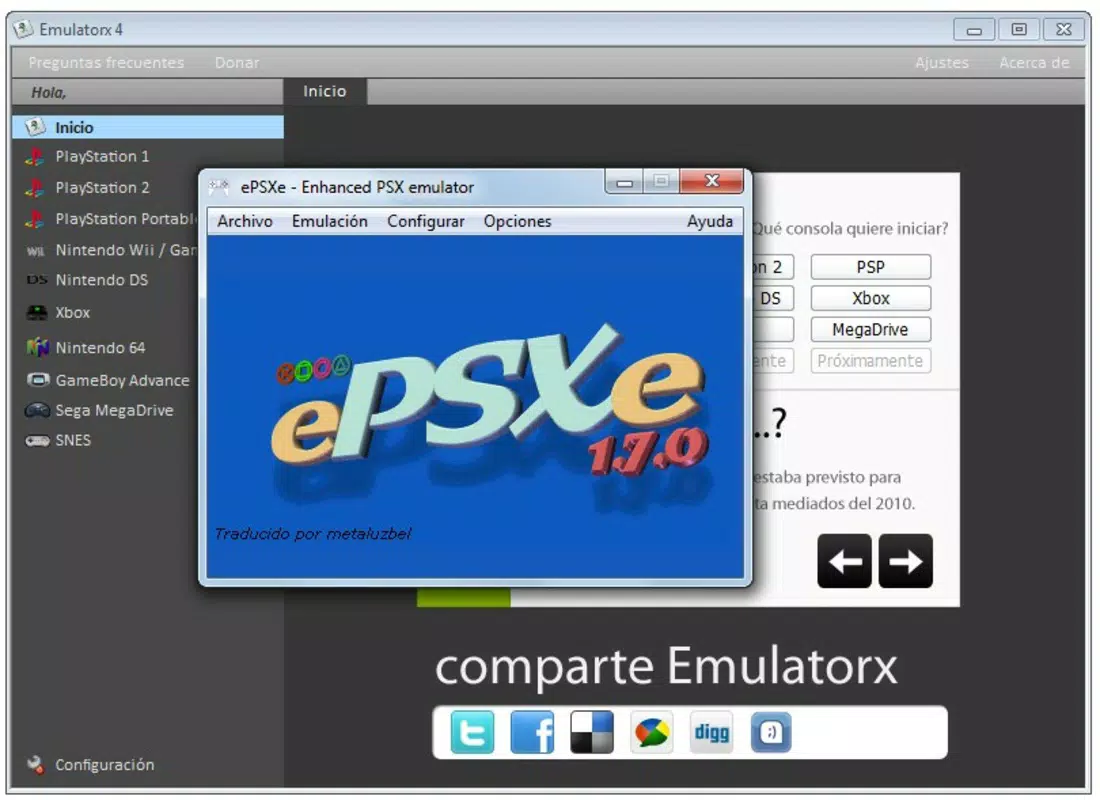
- User-Friendly Interface: The main menu is designed for intuitive navigation, enabling users to quickly select and launch emulated games. Even those unfamiliar with emulation software can begin playing with minimal setup or technical knowledge.
- Nostalgic Gaming Experience: Emulatorx serves as a digital time capsule, allowing users to relive iconic titles from the late 1990s and early 2000s. This emotional connection to past gaming eras enhances user engagement and long-term retention.
- Limited Emulator Performance: The app acknowledges that certain emulators, particularly for PSP and Xbox, may have compatibility issues. Some games may not run smoothly or display correctly, which users should consider when selecting titles.
These features collectively support real-world scenarios such as family game nights with retro titles, educational exploration of game design evolution, or personal collections of favorite games. The emphasis on accessibility and visual upgrades makes Emulatorx a compelling choice for both casual and dedicated retro gamers.
Interface, UX & Performance
Emulatorx features a clean, functional interface centered around a main menu that organizes emulators by console. Navigation is straightforward, with visual icons and clear labeling, reducing the learning curve for new users. The layout prioritizes usability over visual flair, focusing on quick access to game libraries and emulator settings.
Although the developer did not list formal performance metrics, the app’s long-standing availability suggests a degree of stability across supported platforms. Users on mid-to-high-end systems can expect smooth operation for most emulated titles, particularly those with lighter graphical demands. On lower-end hardware, performance may vary depending on the console being emulated and the game’s complexity.
Responsiveness is generally consistent, with minimal lag during menu navigation and game loading. The app maintains stability during extended sessions, though users should be aware that some emulators may experience crashes or graphical glitches, especially with less common titles. Overall, the user experience is designed to minimize technical friction, making it suitable for both beginners and experienced emulation users.
Platform Compatibility & Technical Requirements
Emulatorx is available on Windows, macOS, and Linux, offering cross-platform access for users across different operating systems. The application has a file size of 120 MB, indicating a lightweight footprint that does not require significant storage space. The current version is 1.4.2, released on March 3, 2014.
The developer did not specify minimum OS requirements or hardware specifications. As such, compatibility with newer system versions cannot be confirmed. Users should ensure their device meets the general requirements for running emulation software, especially when attempting to run more demanding systems like PlayStation 2 or Wii. The lack of detailed technical information means users may need to experiment with settings to achieve optimal performance.
Pros and Cons
- Supports a wide range of classic consoles, including Super Nintendo, PlayStation 2, and Nintendo DS
- Offers graphics enhancement for select emulated games, improving visual quality
- Intuitive interface suitable for users with no prior emulation experience
- Free to download and use, with no in-app purchases or subscription fees
- Available on multiple operating systems, including Windows, macOS, and Linux
- Some emulators, particularly for PSP and Xbox, have known limitations and may not run all games properly
- Compatibility with modern OS versions is not confirmed due to lack of technical details
- No official update history or support channel is publicly listed
- Performance may vary significantly based on hardware and game complexity
- Users must provide their own ROM files, which may raise legal and ethical considerations
FAQ
Is Emulatorx safe to download and install?
Yes, Emulatorx is free to download and does not contain malware or intrusive ads. However, users should obtain ROM files legally and ensure they own the original games.
Can I play PlayStation 2 games on Emulatorx?
Yes, Emulatorx includes a PlayStation 2 emulator. Some games may run with enhanced graphics, but performance depends on your device’s hardware and the specific title.
Does Emulatorx support iOS or Android?
The developer did not list support for mobile platforms. The app is currently available only for Windows, macOS, and Linux.
How do I update Emulatorx?
As of now, no official update channel or release notes are available. Users should check the developer’s website for any new versions.
Are there any legal concerns with using Emulatorx?
While the app itself is legal, users must ensure they own the original game discs or digital copies to legally use ROM files. Unauthorized distribution of copyrighted games is not permitted.
Final Thoughts
Emulatorx stands as a dedicated tool for retro gaming enthusiasts seeking to relive the golden age of video games. With broad console support, a user-friendly interface, and the ability to enhance graphics, it offers a compelling experience for nostalgic players and collectors alike. While limitations exist—particularly with PSP and Xbox emulation—its core functionality remains solid and accessible. The app’s free model and cross-platform availability further increase its appeal.
For anyone interested in exploring classic games from Super Nintendo to PlayStation 2, Emulatorx delivers a reliable and efficient solution. Its enduring presence since 2014 speaks to its stability and continued relevance in the emulation space.
Download Emulatorx now


